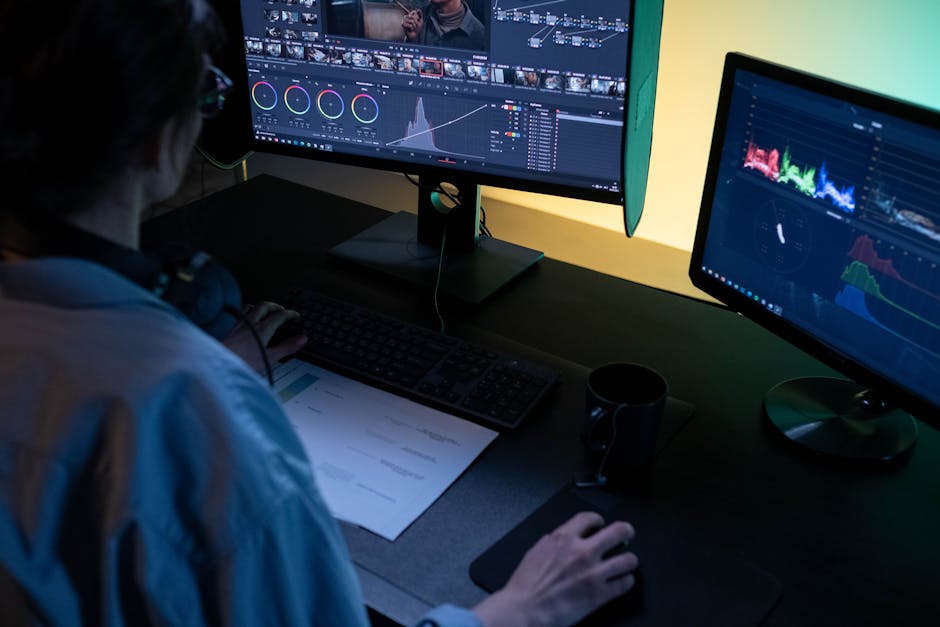
best AI video editing tools for content creators in 2026 (no skills needed)
I spent 15 years in digital marketing before I ever touched a video timeline. video production meant hiring freelancers, waiting days for revisions, and paying hundreds for a single 60 second clip. that changed when AI video editing tools started doing the heavy lifting.
today I create YouTube videos, social media shorts, and explainer content without formal editing skills. I type a prompt, drop in footage, and the AI handles cuts, captions, transitions, and voiceovers. if you want professional looking video without learning Premiere Pro, this guide is for you. I tested every tool on this list and will break down what each actually delivers.
why AI video editing tools matter in 2026
short form video dominates every social platform and audiences expect high production quality even from solo creators. the problem is that traditional editing requires hours of manual work and a steep learning curve.
AI video editors automate the tedious parts. scene detection, auto captioning, background removal, voice enhancement, clip selection. these used to take hours. now they happen in seconds. the best ai video editing tools let you focus on your message while the software handles the polish.
quick comparison table: best ai video editing tools 2026
| tool | best for | starting price | free plan | key AI feature |
|---|---|---|---|---|
| Descript | podcast and talking head videos | $12/mo (annual) | yes (1hr transcription) | text based video editing |
| CapCut | social media shorts | free / $9.99/mo | yes (generous) | auto captions and templates |
| Runway | creative AI video generation | $12/mo (annual) | yes (125 credits) | Gen-4 text to video |
| Opus Clip | repurposing long videos into shorts | $15/mo | yes (60 min/mo) | AI clip curation |
| Pictory | blog to video conversion | $19/mo | free trial (3 videos) | text and URL to video |
| InVideo | prompt based video creation | $20/mo | yes (limited) | AI script and visual generation |
| Synthesia | corporate training and presentations | $18/mo (annual) | yes (3 min/mo) | AI avatar presenters |
| HeyGen | personalized avatar videos | $24/mo (annual) | yes (3 videos/mo) | 500+ realistic AI avatars |
| CapCut Pro | professional creators needing 4K | $7.99/mo (regional) | no | full AI toolkit and 4K export |
| Wondershare Filmora | beginners who want desktop software | $49.99/yr | yes (limited) | AI video enhancement suite |
the 10 best ai video editing tools reviewed
1. Descript
Descript changed how I think about video editing. instead of dragging clips on a timeline, you edit a text transcript and the video follows. delete a sentence from the transcript and the corresponding video gets cut. it sounds simple but it is genuinely revolutionary for content creators who work with talking head or interview content.
Studio Sound removes background noise instantly. the eye contact feature adjusts your gaze so it looks like you are staring into the camera even when reading notes. filler word removal catches every “um” and “uh” automatically. Overdub lets you clone your voice to fix mistakes without re-recording.
pricing: free (1hr transcription/mo), Hobbyist $12/mo annual, Creator $24/mo annual, Business $65/mo
skill level: beginner. if you can edit a Google Doc you can use Descript.
best for: podcasters, YouTubers, and anyone who edits dialogue heavy content.
2. CapCut
CapCut dominates the short form video space for good reason. it is free, it is fast, and its AI features are surprisingly powerful for a tool owned by ByteDance. the auto caption feature alone saves me 30 minutes per video. it detects speech, generates styled subtitles, and syncs them perfectly.
the template library is massive with thousands of trending formats optimized for TikTok, Instagram Reels, and YouTube Shorts. smart scene detection, chroma key, keyframe animation, and multi-track editing are all included in the free tier. the catch is that some exports carry a watermark unless you upgrade.
pricing: free (with watermark), Standard $9.99/mo, Pro $7.99 to $19.99/mo (varies by region)
skill level: beginner. the interface is intuitive and mobile friendly.
best for: social media creators producing daily short form content.
3. Runway
Runway is less of a traditional video editor and more of a creative AI playground. the Gen-4 and Gen-4 Turbo models let you generate video from text prompts or animate still images. if you have ever wanted to create cinematic b-roll without a camera, this is the tool.
Act-Two motion capture transposes your performance onto AI generated characters. Camera Control and Motion Brush give you granular control over movement in generated scenes. the real value is in the generative AI capabilities, and the new Aleph in-video editor lets you tweak generated scenes without starting over.
pricing: free (125 credits, 720p, watermark), Standard $12/mo annual, Pro $28/mo annual, Unlimited $76/mo annual
skill level: beginner to intermediate. the generation tools are simple but getting good results requires experimentation.
best for: creative professionals who need original AI generated footage.
4. Opus Clip
if you already produce long form content like podcasts, webinars, or YouTube videos, Opus Clip is an absolute time saver. you upload a long video and the AI identifies the most engaging moments, then automatically creates vertical short clips with animated captions and emoji overlays.
I use it to repurpose my YouTube content for TikTok and Instagram. what used to take me 2 hours of manual clipping now takes about 5 minutes. the AI scoring system rates each clip’s virality potential so you know which ones to post first. it also supports direct scheduling and auto posting to YouTube, TikTok, Instagram, LinkedIn, and X.
pricing: free (60 min/mo, watermark), Starter $15/mo, Pro $29/mo, Business custom
skill level: beginner. upload and let the AI do the work.
best for: content creators who want to repurpose long videos into social shorts.
5. Pictory
Pictory is built for turning written content into video. paste a blog post URL, a script, or even a whitepaper and it generates a video with stock footage, voiceover, and captions. this is incredibly useful for content marketers who already have a library of articles and want to expand into video.
the AI voiceover generator produces natural sounding narration in multiple languages without any recording equipment. you can also upload webinar recordings and Pictory will extract the best highlights automatically. the interface is straightforward and everything runs in the browser.
pricing: free trial (3 videos, watermark), Starter $19/mo, Professional $29/mo, Teams $99/mo
skill level: beginner. paste text and get video.
best for: bloggers and content marketers converting articles into video.
6. InVideo
InVideo combines OpenAI’s Sora 2 and Google’s VEO 3.1 into one platform and the result is impressive. you type a text prompt describing what you want and InVideo generates a complete video with script, visuals from 16 million+ stock assets, voiceover, music, and transitions. it supports over 50 languages for voiceover.
the Nano Banana technology maintains character consistency across scenes, solving a common problem with AI generated content. the credit based system means you pay for what you use rather than a flat fee.
pricing: free (limited), starts at $20/mo, credit based system for AI generation
skill level: beginner. describe your video in plain english.
best for: marketers who need fast, professional video from a text prompt.
7. Synthesia
Synthesia specializes in AI avatar videos for corporate and educational content. you choose from hundreds of realistic digital presenters, type your script, and the avatar delivers it with natural lip sync and gestures. the output looks like you hired a professional presenter without anyone stepping in front of a camera.
it supports 160+ languages and the PowerPoint to video converter retains your slide designs while turning speaker notes into the script. for training and onboarding content, Synthesia is hard to beat.
pricing: free (3 min/mo, watermark), Starter $18/mo annual, Creator $64/mo annual, Enterprise custom
skill level: beginner. type a script and pick an avatar.
best for: businesses creating training, onboarding, and presentation videos.
8. HeyGen
HeyGen is similar to Synthesia but leans more toward marketing and personalized video. with 500+ stock avatars, photo avatar creation, and 1,000+ AI voices across 30+ languages, you can produce spokesperson videos, product demos, and personalized outreach at scale.
the Creator plan gives you unlimited avatar videos and the AI dubbing feature translates your videos into other languages with synced lip movements. audio dubbing without lip sync is now unlimited on all paid plans.
pricing: free (3 videos/mo, watermark), Creator $24/mo annual, Pro $79/mo annual, Business $149/mo
skill level: beginner. select avatar, type script, export.
best for: sales teams and marketers creating personalized video at scale.
9. Wondershare Filmora
Filmora is a desktop application with a traditional timeline editor loaded with AI features. AI video enhancement, smart cutout background removal, and audio denoising all work without manual tweaking.
the annual pricing makes it more affordable than monthly subscriptions if you edit regularly. the interface is easier to learn than Premiere Pro while still offering multi-track editing, keyframes, and effects.
pricing: free (watermark), Basic $49.99/yr, Advanced $59.99/yr
skill level: beginner to intermediate. timeline editing with AI assistance.
best for: creators who want a traditional editor with AI shortcuts.
10. DaVinci Resolve (bonus pick)
the free version of DaVinci Resolve is arguably the most powerful free video editor in 2026. it includes professional grade color correction, visual effects, audio post production, and AI features like face tracking, speed warping, and smart reframing. the Studio version is a one time $295 purchase.
the learning curve is steeper than everything else on this list. but if you want Hollywood level capabilities for free and you are willing to invest time, DaVinci Resolve is unmatched.
pricing: free (full featured), Studio $295 one time
skill level: intermediate to advanced. this is a professional tool.
best for: serious creators who want maximum power without a subscription.
how to choose the right AI video editing tool
choosing depends on your content type and editing experience. here is my quick framework.
talking head or podcast content: start with Descript. text based editing is a game changer.
daily social media shorts: CapCut’s free plan has everything you need. upgrade to Pro for 4K.
repurposing long videos: Opus Clip automates clipping and saves hours every week.
AI generated footage: Runway’s Gen-4 models produce the best creative results.
corporate or training content: Synthesia or HeyGen create presenter videos without a camera.
blog posts to videos: Pictory handles articles and InVideo handles prompt based creation.
frequently asked questions
what is the best free AI video editing tool in 2026?
CapCut offers the most generous free plan with full editing capabilities, AI auto captions, templates, and multi-track editing. the only limitation is watermarked exports on some features. DaVinci Resolve is the best free option for professional grade editing with AI features.
can AI video editors replace professional video editors?
for most content creator needs, yes. AI tools handle 80 to 90 percent of what a professional editor does for social media content and marketing material. for high end commercial work or complex motion graphics, you still need human expertise.
are AI video editing tools safe to use for business content?
all tools on this list offer commercial usage rights on paid plans. check the terms of service for AI generated content ownership, but most platforms grant you full rights.
how much should I budget for AI video editing tools?
most solo creators can get by with $15 to $30 per month. a typical setup might be CapCut free for daily editing plus Opus Clip Starter at $15/mo for repurposing. if you need avatar videos, add Synthesia or HeyGen at $18 to $24 per month.
do I need a powerful computer for AI video editing?
most of these tools run in the browser so your computer specs matter less than your internet connection. Descript, Pictory, InVideo, Synthesia, HeyGen, and Runway are all cloud based. only Filmora and DaVinci Resolve are desktop applications that benefit from a decent GPU.
final thoughts
the best ai video editing tools in 2026 make it possible for anyone to produce professional quality video. I went from zero editing experience to publishing regular YouTube and social content using these tools. pick one or two that match your content type and commit to learning them.
start with a free plan, create 5 to 10 videos, and evaluate whether it fits your workflow before upgrading.
if you want to explore more AI tools for your business, check out our guides on best AI tools for solopreneurs, best AI writing tools for content marketing, and best AI design tools for non-designers.
related reading
more articles from the same topic I think you will find useful: