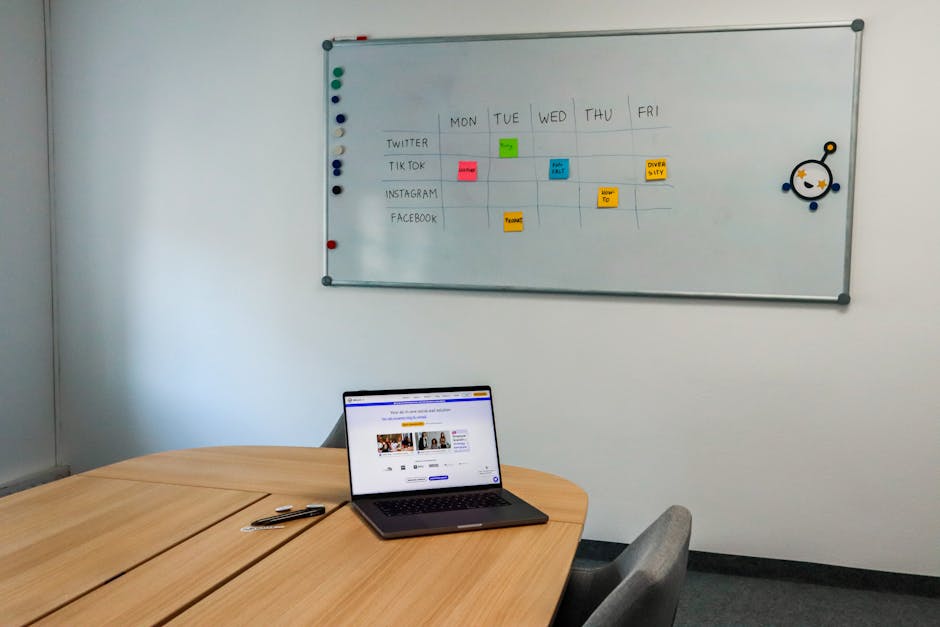
I spent years winging it. no real system, just a vague sense of what needed to happen each week and a growing pile of tasks that never got done. some weeks I was incredibly productive. other weeks I would look back on friday and genuinely wonder where the time went.
the turning point for me was building a weekly planning system that actually sticks. not something I found in a productivity book that sounded great in theory but fell apart by tuesday. this is the system I have refined over the past few years running my own business, and I want to share it because it changed everything for me.
why weekly planning matters more than daily planning
most solopreneurs focus on daily to do lists. I get it, it feels productive to write down ten things each morning and start checking them off. but here is the problem. when you only plan day by day, you lose sight of the bigger picture. you end up being reactive instead of intentional.
weekly planning gives you the altitude to see what actually matters. it forces you to think about your week as a whole, not just the next eight hours. when I switched from daily lists to weekly planning, I started finishing projects instead of just working on them endlessly.
the data backs this up too. solopreneurs who plan at the weekly level consistently report higher output and lower stress. the reason is simple. you make fewer decisions each day because you already decided on sunday.
my sunday planning ritual
every sunday evening, I sit down for about 30 to 45 minutes and plan my entire week. I know, sunday evening sounds painful. but this ritual has become something I actually look forward to because it removes all the anxiety about monday morning.
here is exactly what I do:
step 1: review last week. I look at what I planned versus what I actually accomplished. no judgment here, just honest assessment. if something kept getting pushed, I ask myself why. usually the answer is that it was not actually important, or I was avoiding it because it was hard.
step 2: brain dump everything. I write down every single thing on my mind. client work, admin tasks, personal stuff, ideas, follow ups, everything. this usually gives me 20 to 40 items.
step 3: pick the 3 big things. from that brain dump, I identify the three things that would make this week a success if nothing else got done. these become my non negotiable priorities.
step 4: assign to theme days. I slot tasks into my themed days (more on this below). each day gets a clear focus area.
step 5: time block the calendar. I open my calendar and block actual time for my 3 big things first. everything else gets the remaining slots.
theme days: the game changer
theme days transformed how I work. instead of context switching between completely different types of work all day, I batch similar tasks together. here is my current theme day setup:
| day | theme | what I do |
|---|---|---|
| monday | content creation | writing articles, recording videos, social media content |
| tuesday | admin and operations | emails, invoicing, bookkeeping, tool maintenance |
| wednesday | client work | calls, deliverables, project updates |
| thursday | growth and marketing | SEO work, outreach, partnership conversations |
| friday | learning and experiments | testing new tools, studying, side projects |
the beauty of theme days is that your brain stays in one mode. writing mode on monday, admin mode on tuesday. you are not trying to shift between creative work and spreadsheets every hour.
I will be honest though, theme days are not rigid for me. if a client emergency happens on monday, I handle it. the theme is a default, not a prison. maybe 70% of my week follows the themes, and that is enough to see massive benefits.
the 3 big things rule
this is the single most impactful change I made to my planning. every week, I pick exactly three things that matter most. not five, not ten. three.
why three? because as a solopreneur, you are stretched thin. you are the CEO, the marketer, the accountant, the customer service rep. if you try to prioritize everything, you prioritize nothing.
my 3 big things for this week, as an example:
1. publish two new articles for the website
2. set up automated email sequence for new subscribers
3. close the proposal for the new client project
everything else, the emails, the small fixes, the admin work, that all happens around these three priorities. if friday arrives and those three things are done, the week was a success. period.
time blocking: making the plan real
a plan without time blocks is just a wish list. I learned this the hard way after months of writing beautiful weekly plans that I never followed. the missing piece was putting tasks on the calendar with actual start and end times.
here is how I time block:
morning blocks (9am to 12pm): this is my deep work time. the 3 big things go here. no meetings, no emails, no slack. my phone goes on do not disturb. these three hours are sacred.
afternoon blocks (1pm to 4pm): this is for medium focus work. client calls, collaborative tasks, anything that requires interaction with other people.
late afternoon (4pm to 5:30pm): admin and cleanup. emails, invoices, quick tasks, planning for tomorrow. the stuff that does not need creative energy.
I use Google Calendar for time blocking because it syncs everywhere and it is free. some people prefer Notion or a paper planner. the tool does not matter as much as the habit.
tools I use for weekly planning
I have tried dozens of tools over the years. here is what I actually use now and why:
| tool | what I use it for | cost |
|---|---|---|
| Notion | master task database, project tracking, weekly templates | free plan works, $10/mo for plus |
| Google Calendar | time blocking, meeting scheduling | free |
| a physical notebook | sunday brain dump, daily top 3 | $15 for a good one |
| Todoist | quick capture on mobile | free plan, $5/mo for pro |
I know it looks like a lot. but each tool has a specific job. Notion is my command center. Google Calendar is my schedule. the notebook is for thinking. Todoist is for capturing things on the go.
the Notion weekly template I built has sections for: weekly goals, theme day plans, a habit tracker, and a friday review prompt. I duplicate it every sunday and fill it in during my planning ritual.
dealing with interruptions
here is the truth nobody tells you about weekly planning. your plan will break. every single week, something unexpected will come up. a client will have an emergency. your website will go down. you will get sick. life happens.
the key is building buffer into your week. I leave about 20% of my time unscheduled. that means roughly one day equivalent across the week has no planned tasks. this buffer absorbs the unexpected without destroying your entire plan.
when an interruption hits, I ask myself one question: does this need to happen today, or can it wait until my buffer time? most things can wait. the ones that genuinely cannot wait get handled immediately, and something from the buffer time gets pushed.
I also batch interruptions. instead of checking email every time a notification pops up, I check it three times a day. instead of responding to every message instantly, I have set response windows. this alone probably saves me two hours a week.
my weekly planning template
here is the exact template I use every sunday. feel free to steal it:
weekly review (5 minutes)
– what went well last week?
– what did not get done and why?
– any lessons learned?
brain dump (10 minutes)
– write everything on your mind
– no filtering, no organizing, just dump it all
3 big things (5 minutes)
– if nothing else gets done, these 3 things make the week a win
theme day assignments (10 minutes)
– monday: content creation tasks
– tuesday: admin tasks
– wednesday: client work tasks
– thursday: growth tasks
– friday: learning tasks
time blocking (10 minutes)
– block the 3 big things first
– add meetings and calls
– fill remaining time with theme day tasks
– leave 20% buffer
for related reading, see our guide on notion review for solopreneurs 2026: is it worth the hype?.
common mistakes I made (so you don’t have to)
overplanning. my first weekly plans had 40+ tasks per week. I finished maybe 15. this was demoralizing. now I plan for about 15 to 20 tasks max, knowing that is actually what I can accomplish.
no buffer time. I used to schedule every minute. one unexpected thing and the whole week collapsed like dominoes. the 20% buffer rule fixed this completely.
ignoring energy levels. I used to schedule creative work in the afternoon when my brain was fried. now my mornings are for deep work, always. understanding your own energy patterns is critical.
skipping the review. the friday review is where the learning happens. without it, you just repeat the same mistakes. I set a calendar reminder so I never skip it.
when the system breaks down (and what to do)
some weeks, the whole system falls apart. maybe you are dealing with a personal crisis, or a massive project lands in your lap, or you just feel burned out. that is okay.
when this happens, I simplify everything down to one question: what is the single most important thing I can do today? forget the theme days, forget the time blocks, just do that one thing. once it is done, ask the question again.
the system is there to serve you, not the other way around. use it when it helps and simplify it when you need to. the goal is not perfection, it is progress.
frequently asked questions
how long does weekly planning take once you get the hang of it?
when I first started, the sunday session took about an hour. now it takes 30 minutes or less. the template makes it fast because I am not starting from scratch each time. the daily check ins take about 5 minutes each morning.
what if I have a very unpredictable schedule?
theme days might not work perfectly for you, and that is fine. keep the 3 big things rule and the sunday planning ritual. those two practices alone will give you 80% of the benefit. adjust the structure to fit your reality.
do I really need a separate tool for each thing?
no. if you want to keep it simple, a paper planner and Google Calendar is all you need. I use multiple tools because I have refined my system over years. start with what you have and add tools only when you feel a genuine gap.
how do I stay consistent with this system?
make it easy and enjoyable. I pair my sunday planning with a cup of coffee and some music. it feels like a ritual, not a chore. also, start small. just do the brain dump and 3 big things for the first few weeks. add the other pieces gradually.
what do I do when everything feels urgent?
if everything feels urgent, nothing actually is. use the Eisenhower matrix. ask yourself: is this truly urgent AND important, or does it just feel that way? in my experience, only about 10% of “urgent” tasks are genuinely time sensitive. the rest can wait a day or two without any real consequences.
related reading
more articles from the same topic I think you will find useful: